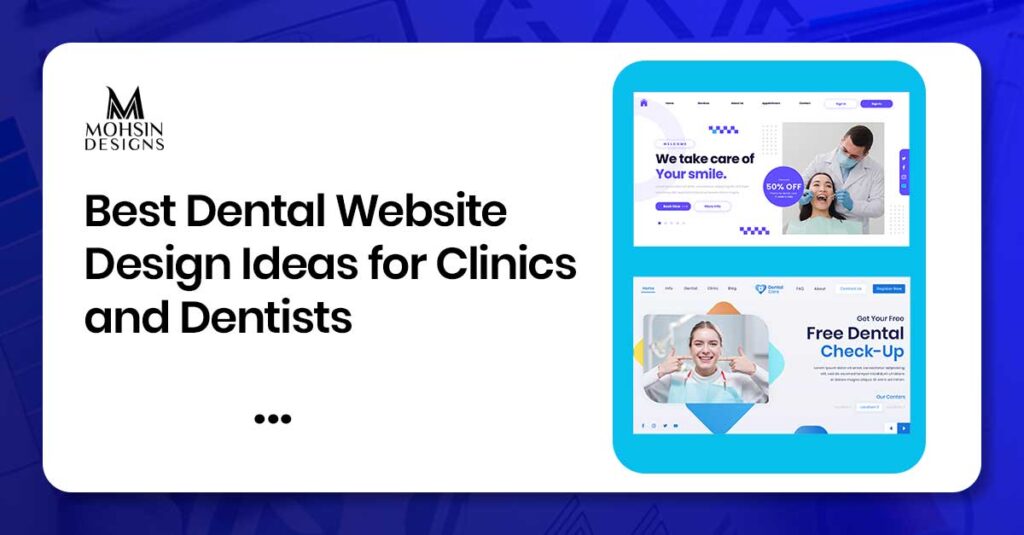
What makes a patient choose one dental clinic over another before they even call? In many cases, it starts with your website. Good dental website design can help your clinic look trustworthy, answer patient questions, and make booking feel easy. This guide shares practical design ideas dentists and clinic owners can use to create a cleaner, friendlier, and more appointment-focused website. So, let’s start discussing the best dental website design ideas if you are looking to open a clinic.
The Value of a Better Website for Dental Clinics
Patients mostly come across dentists via Google search before making phone calls. They visit your website and determine whether the clinic seems safe, clean, and professional.
In case the website is out of date, not fast or easily readable, then the patient will move to another clinic.
The good thing about having a good website is that it will do more than displaying your office hours. The website will help to reduce patient anxiety, provide answers to common patient queries, and minimize phone calls your office needs to take care of. Patients will be able to access all the information needed.
What Makes Dental Website Design Effective?
Effective dental website design balances look, speed, and function. It is not just about colors or logos. It must guide patients to book an appointment without confusion.
An effective dental website includes:
- Clear navigation menu
- Fast page speed (under 2 seconds)
- Mobile-friendly layout
- Strong appointment booking buttons
- Trust signals like reviews and clinic photos
- Service pages that explain treatments clearly
Good design reduces stress. Patients find what they need quickly and feel confident booking with your clinic.
Dentist Website Design Ideas That Build Patient Trust
Website design for dental clinics needs to convey trust to your patients even before they set foot inside the clinic.
Show Authenticity through Visuals and Professionalism
Do not use stock photos. Showcase real photos of your clinic, your staff, the waiting room, and your treatment rooms. This makes your patients more comfortable seeing what they are going into.
Feature Patient Reviews and Testimonials
Patient reviews go a long way in building credibility in no time. Have them featured prominently on your homepage and your services page.
Include Dentist Bios with Credentials
Detailed bio pages show experience, education, certifications, and bar admissions. Patients feel safer choosing a dentist with clear credentials.
Display Before-and-After Treatment Photos
Showing past treatment results (with patient permission) builds credibility. Patients want evidence that you can help their smile.
Add Trust Badges and Certifications
Dental association memberships, awards, and certifications act as trust signals. These show professionalism and industry recognition.
Dental Web Design Features That Improve Appointments
Dental web design should guide patients to book an appointment. Every page should have a clear path to conversion.
Strong Appointment Booking Buttons
Use clear buttons like “Book Now,” “Call Today,” or “Request Appointment.” Place them at the top and bottom of pages.
Simple Appointment Forms
Short forms work better. Ask only for name, phone, email, and preferred service. Long forms reduce completion rates.
Visible Phone Number and Contact Info
Put your phone number in the header. Patients should not search for how to contact you.
Online Booking Integration
Offer online appointment scheduling. This removes friction and helps patients book faster, even outside office hours.
Service Pages with Clear Answers
Each service page should answer:
- What treatment you offer
- How it helps patients
- What patients should do next
Clear answers guide patients to book with your clinic.
Dental Clinic Website Pages Every Practice Should Have
A dental clinic website needs key pages to help patients find information and book appointments.
Homepage
Your homepage should show your clinic name, core services, and clear booking button. It should welcome patients and guide them to important pages.
Service Pages
Each service (cleaning, crowns, whitening, implants, etc.) should have its own page. Explain the treatment, benefits, and next steps.
Emergency Dental Page
An emergency page tells patients what to do during dental emergencies. Include phone number, hours, and which conditions qualify as emergencies.
Dentist Bio Pages
Bio pages show who will treat patients. Include credentials, experience, and real photos.
Contact Page
A contact page should have your address, phone, email, map, and appointment form.
Reviews Page
A reviews page shows patient testimonials. This builds trust with new patients.
Dental Website Ideas and Why They Matter
Below is the table for your understanding. It shows website design ideas for clinics and dentists and why they matter.
| Design Idea | Why It Matters |
| Real clinic photos | Builds authenticity and trust |
| Patient reviews | Shows credibility and results |
| Dentist bios | Shows experience and credentials |
| Before-and-after photos | Demonstrates treatment success |
| Strong booking buttons | Guides patients to book now |
| Simple appointment forms | Increases form completion |
| Mobile-friendly layout | Works for phone users |
| Fast page speed | Prevents patients from leaving |
| Clear navigation | Helps patients find pages quickly |
| SEO-ready structure | Improves Google visibility |
Step-by-Step Timeline: Planning a Better Dental Website
Planning a better website takes steps. Here is a simple timeline:
Week 1–2: Discovery & Content Strategy
- Identify target patients and map treatment pages
- Gather real clinic photos, staff headshots, and success stories
Week 3–5: Structure & Visual Interface
- Design clean, accessible layout with visible booking features
- Choose calming color scheme (blues, greens, neutrals)
Week 6–8: Technical Setup & Performance
- Build framework for fast loading and mobile responsiveness
- Connect scheduling systems and review forms securely
Week 9+: Launch Optimization & Testing
- Run cross-device tests for error-free booking
- Configure local tracking tools to monitor visitor engagement
Professional website design support through website design service can help you complete these steps faster with better results.
Mobile-Friendly Design for Dental Patients
Most patients search for dentists on phones while multitasking. If your site does not adjust perfectly to small screens, you lose business.
- Text must be large enough to read without zooming
- Buttons must be easy to tap with a thumb
- Forms must work on small screens
- Images must load fast
If your site is not mobile-friendly, patients leave immediately. Good mobile design improves patient experience and bookings.
Online Booking and Easy Contact Forms
Providing a digital booking system is a major convenience for modern patients. Many need appointments late at night when your office is closed.
- Use short appointment forms
- Put phone numbers in the header
- Add “Book Now” buttons on every page
- Offer online scheduling with real-time calendar
Clear booking options guide patients to book with your clinic quickly.
Service Pages That Explain Dental Treatments Clearly
Service pages are key for dental website design. Each page should answer patient questions in simple language.
For example, a “Teeth Whitening” page should include:
- What the treatment does
- How it helps patients
- What patients should expect during and after
- How to book the treatment
Clear answers build trust and guide patients to book with your clinic.
Break treatments into scannable sections:
- Preventative Care: cleanings, checkups, X-rays, nightguards
- Restorative Dentistry: crowns, fillings, root canals
- Cosmetic Upgrades: whitening, veneers, clear aligners
Dentist Bio Pages That Build Confidence
Dentist bio pages build confidence. Patients want to know who will treat them before sitting in the chair.
Good bio pages include:
- Full name and title
- Education and certifications
- Years of experience
- Services offered
- Warm, professional headshot
- Care philosophy and community involvement
Strong bios help patients feel confident booking with your clinic.
Patient Reviews, Photos, and Trust Signals
Reviews, photos, and trust signals build confidence quickly.
- Display real patient reviews on homepage and service pages
- Use clinic and team photos instead of stock images
- Add dental association badges (ADA, state associations)
- Show awards and certifications prominently
These elements show professionalism and help patients trust your clinic before visiting.
Local SEO for Dental Clinic Websites
Dental clinic website design works with SEO. Local SEO helps patients find you when searching nearby.
- Use local keywords (“dentist in USA,” “emergency dental Dubai”)
- Add service pages for each location you serve
- Include patient reviews on location pages
- Write dental content that answers common patient questions
Good SEO improves visibility. Search engine optimization strategies through search engine optimization can help build long-term local visibility and organic traffic.
Common Dental Website Design Mistakes to Avoid
Many clinics make the same layout mistakes that drive away patients. Fix these early to save time and lost business.
Avoid these mistakes:
- Outdated design that looks unprofessional
- Slow page speed (over 3 seconds)
- No mobile-friendly layout
- Long appointment forms with too many fields
- Hidden phone numbers or contact info
- Generic stock photos instead of real clinic images
- Poor navigation with too many menu items
- No service pages or only one homepage
- Missing dentist bios
- Weak booking buttons that blend into background
Fixing these improves patient experience and appointment requests.
When to Hire a Professional Website Design Team
Hire a professional team when:
- An outdated or unprofessional website can make patients question your clinic before they call.
- More appointment requests may come from clearer buttons, better service pages, and easier booking.
- Slow loading speed can cause visitors to leave before they see your treatments.
- Mobile-friendly design helps patients use your website easily from phones and tablets.
- SEO-ready structure makes it easier for Google to understand and show your dental services.
Professional design saves time and improves results. Website development support through website development can help with structure, speed, mobile performance, and secure technical setup.
Conclusion
Good dental website design builds trust, improves patient experience, and generates appointment requests. Modern dentists need websites that look clean, work fast, and guide patients to book with your clinic.
Use real clinic photos, patient reviews, dentist bios, before-and-after photos, strong booking buttons, simple forms, mobile-friendly design, fast speed, clear navigation, and SEO-ready structure.
Avoid outdated design, slow speed, poor mobile layout, and hidden contact info. Hire a professional team for better results.
FAQs
1. What is dental website design?
Dental website design is creating a professional, mobile-friendly, patient-focused website for dentists. It includes layout, speed, trust signals, and clear booking buttons.
2. Why do dentists need better website design?
Better design builds trust, improves patient experience, and generates more appointment requests. Modern patients search online first.
3. What builds trust on dentist websites?
Real clinic photos, patient reviews, dentist bios, before-and-after photos, and trust badges build trust with potential patients.
4. How do dental websites improve appointments?
Strong booking buttons, simple forms, visible phone numbers, and online scheduling guide patients to book with your clinic.
5. What is dental web design?
Dental web design includes mobile-friendly layout, fast speed, clear navigation, SEO-ready structure, and trust signals for dental clinics.
6. Do dental websites need mobile-friendly design?
Yes. Most patients search on phones. Mobile-friendly design improves patient experience and bookings.
7. What should service pages include?
Service pages should answer patient questions, explain treatments, and include clear booking instructions.
8. Why are dentist bio pages important?
Bio pages show experience, credentials, and education. Patients feel confident booking with dentists with clear bios.
9. How does SEO help dental websites?
SEO improves Google visibility, helps patients find your services, and increases organic traffic.
10. When should dentists hire a professional design team?
Hire a professional team when your site is outdated, slow, not mobile-friendly, or needs more bookings and SEO-ready structure.