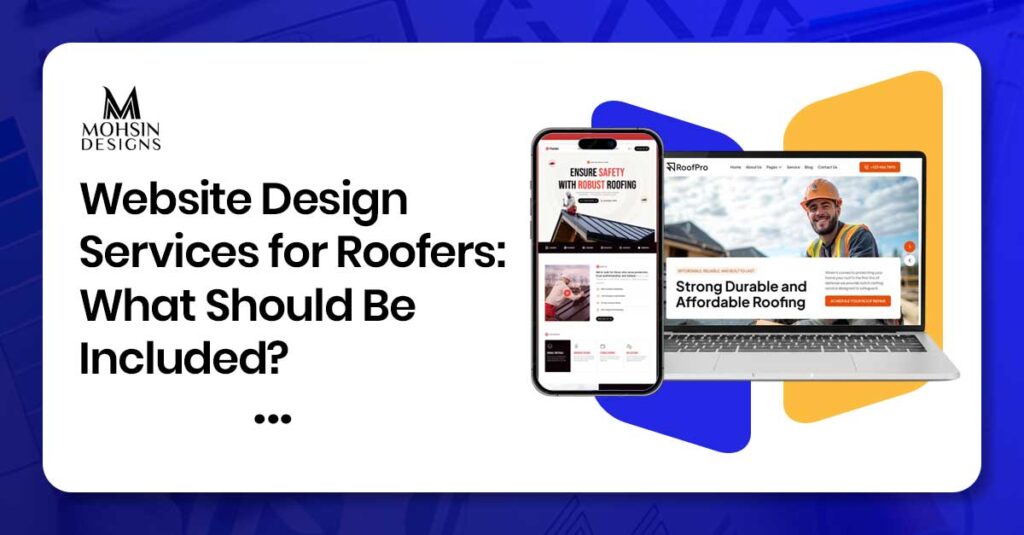
Ever wonder why some roofing sites get flooded with storm leads while others sit bone-dry? It isn’t luck. High-converting website design services for roofers must pack vital tools: blazing speed, clear service pages, instant quote forms, and click-to-call buttons.
Contractors need an online storefront built for rapid trust, powered by local Search Engine Optimization and real project photos. When a major storm hits, will your digital door greet desperate homeowners first, or will they call the competitor down the street?
Let’s learn in this guide the secret behind the increasing leads on roofers website. So, let’s start this guide in detail.
Why Roofers Need a Strong Website
When home owners require a roof repair or roof replacement, they usually go searching for roofers on the internet. They find roofers on Google, browse their websites, view photos of projects, and contact those that look more professional.
If your website doesn’t look modern enough, loads slowly, and is not easy to view from a phone, then home owners will simply call another roofer. Good roofing website will allow you to:
- Be found in local search engines
- Establish trust among home owners
- Receive more phone calls and quotations
- Describe your services
- Display photos and testimonials of projects
Roofing website is like having a salesman that works 24/7 for you.
What Website Design Services for Roofers Should Include
Professional website design services for roofers should include these key features.
- Mobile-Friendly Design: Most customers search on phones during storms or after noticing damage. Your site must work perfectly on mobile.
- Clear Service Pages: Each service (roof repair, replacement, emergency, gutter work, siding) should have its own page with clear explanations.
- Quote Form and Contact Options: Simple quote forms and phone buttons help customers contact you fast.
- Local SEO Setup: Your site should be optimized for local searches like “roofer in the US” or “emergency roofing near me.”
- Project Gallery and Photos: Show real roofing projects you have completed. Homeowners trust companies with visible work.
- Reviews and Trust Signals: Display customer reviews, licensing info, insurance details, and certifications.
- Fast Website Speed: Pages should load in under 2 seconds. Slow sites lose customers.
- Security (SSL Certificate): Use HTTPS to protect customer data and build trust.
Roofing Website Services That Help Build Trust
Roofing website services should include trust-building elements that make homeowners feel safe hiring your company.
Real Project Photos
Use photos from actual roofing jobs you have completed instead of generic stock images.
Customer Reviews
Display reviews from real homeowners and place them on your homepage and service pages.
Licensing and Insurance Info
Show your license number and insurance coverage to prove you are legitimate.
Certifications and Badges
Display badges from roofing manufacturers like Owens Corning or GAF or industry associations.
Before-and-After Photos
Show damage before repair and the finished roof after work to prove your quality.
Clear Contact Info
Put your phone number, address, and email in the header so customers never have to search.
Roofer Web Design Services for Better Lead Generation
Web designs for roofers should be geared towards converting website visitors into leads.
This means that every page should point out how to get in touch with you.
Effective call-to-action buttons have calls such as “Get a Free Quote,” “Call Now,” and “Request Emergency Services” and are placed both at the top and bottom of each page.
Easy quote forms should only require information such as name, phone number, email address, physical address, and service required because long forms lower completion rates. Click to call buttons allow customers to make a call with one click.
Emergency Roofing Page is a specific page for emergency services that has easy instructions along with an easy quote form.
Contractor Website Design Features That Improve Calls
The contractor’s website must make it easy for clients to contact you. You can include your phone number at the top right side of each page. Your buttons must be large enough to press easily with the thumb.
You can have a call button which is always available for mobile users when scrolling down the page. Your forms must be as short as possible with minimal information required for starting the communication process.
Website Features and Why Roofers Need Them
Below is the summarised table that clearly illustrates what kind of website features a roofers website need and why they are needed. This will be enough to clear your understanding.
| Website Feature | Why Roofers Need It |
| Mobile-friendly design | Most customers search on phones |
| Service pages | Explains each offer clearly |
| Quote form | Captures lead information |
| Click-to-call buttons | Customers call by tapping once |
| Project gallery | Shows real work and builds trust |
| Customer reviews | Proves you do good work |
| Local SEO | Helps you show up in local searches |
| Fast speed | Prevents customers from leaving |
| SSL security | Protects data and builds trust |
| Emergency page | Captures urgent storm leads |
Step-by-Step Timeline: From Website Planning to Launch
The process of planning and creating a roofing website involves several stages. Below is the basic timeline:
- Week 1: Discovery & Planning – during which the target audience and service areas are identified and service & location pages are planned.
- Week 2-3: Content & Design – during which the services are described and the projects photos are collected and the website with a clear layout and prominent quotation buttons is designed.
- Week 4-5: Development – during which all the pages are created using mobile-friendly design and quotation and call buttons are added.
- Week 6: SEO and Testing – during which the headings and meta tags are optimized for local search and the website is tested for form filling, loading speed, and mobile responsiveness.
- Week 7: Launch – when the website is published and Google Business Profile is set up.
Professional web design assistance can greatly facilitate the process.
Mobile-Friendly Design for Roofing Customers
Most roofing customers search on phones during emergencies or after storms. Mobile-friendly design is essential. Text must be large enough to read without zooming.
Buttons must be easy to tap with a thumb. Quote forms must work on small screens. Images must load fast. If your site is not mobile-friendly, customers leave immediately and call another roofer.
Roofing Service Pages That Explain Each Offer Clearly
Service pages are essential for your roofing website since they assist homeowners in learning more about the services you offer as well as reaching out to you easily.
- Roof repair service page: Describe all repairs that you offer, including leak repair, shingle repair, roof damage repair, and small area repair.
- Repair details: State how long it will take to complete various repairs and how to ask for a quotation.
- Roof replacement service page: Describe situations in which roof replacement is needed and types of roofing materials that you use, such as shingle, metal, and tile.
- Replacement details: State warranty information, step by step procedure and how to schedule a quotation.
- Emergency roof repair service page: Explain what constitutes an emergency situation, what to do during a storm, and how quickly you can respond.
- Contact option for emergencies: Include an easy-to-use contact form or telephone button so that homeowners can request your help easily.
- Gutters and siding service pages: Provide information on services that you offer, materials used, and advantages of replacing your gutter and siding system.
- Effective contact information: Include telephone numbers, contact forms, and quotation buttons.
Quote Forms, Click-to-Call Buttons, and Lead Capture
Lead capture forms convert website visitors to customers. Basic quote forms include fields requesting the customer’s name, telephone number, email, physical address, and services required.
Click-to-call forms enable customers to call from their mobile device simply by clicking a button. Floating call button allows a button which floats on the mobile device screen as the customer scrolls. Emergency contact form offers an instant emergency lead capture form.
Reviews, Project Photos, and Trust Signals
Trust signals build confidence with homeowners. Display real customer reviews on homepage and service pages. Show project photos from actual roofing jobs. Add licensing and insurance information.
Display manufacturer certifications like GAF or Owens Corning. Include before-and-after photos. These elements prove you are professional and do quality work.
Website Speed, Security, and Technical Setup
Technical details affect how customers see your site. Fast website speed means pages should load in under 2 seconds and you should optimize images and use clean code. SSL security uses HTTPS to protect customer data and this also builds trust.
Clean navigation keeps menu simple with Home, Services, Location Pages, Gallery, Reviews, Contact. Secure hosting uses reliable hosting that keeps your site running without crashes.
Common Roofing Website Design Mistakes to Avoid
Many roofing websites make the same mistakes that lose customers. Avoid these errors:
- Outdated design that looks unprofessional
- Slow page speed over 3 seconds
- No mobile-friendly layout
- Long quote forms with too many fields
- Hidden phone numbers or contact info
- Generic stock photos instead of real project images
- Poor navigation with too many menu items
- No service pages or only one homepage
- Missing location pages for local SEO
- Weak call buttons that blend into background
Fixing these improves customer experience and leads.
When Roofers Should Hire a Professional Web Design Team
If you feel your website is out of date or not professional, needs faster loading, requires mobile design, needs more calls and requests for estimates, and needs local search engine optimization, hire a professional web design team. Professional web design will save you time and money.
Professional web design teams know how to create websites for roofers.
Conclusion
Website design for roofers must comprise mobile responsive design, service pages, quote forms, click to call buttons, local search engine optimization (SEO), pictures of your projects, review forms, speed, and security. The website for a roofing contractor must make it easy for people to discover, trust, and contact the company.
You need to use pictures of projects, reviews, license details, certificates, before and after photos, call buttons, quote forms, mobile responsive design, speed, navigation, and local SEO.
Stay away from using old fashioned design, slow loading time, bad mobile experience, concealed contact information, stock images, and weak buttons. Work with a professional website design team.
A properly designed roofing website acts like a salesman working round the clock and helping you get more calls and quotes from people seeking roofing services.
FAQs
1. What should website design services for roofers include?
They should include mobile-friendly design, service pages, quote forms, phone buttons, local SEO, project photos, reviews, fast speed, and security.
2. Why do roofers need a strong website?
A strong website helps you show up in local searches, build trust, get more calls, explain services, and share photos and reviews.
3. What builds trust on roofing websites?
Real project photos, customer reviews, licensing info, certifications, before-and-after photos, and clear contact info build trust.
4. How do roofing websites improve leads?
Strong call buttons, simple forms, click-to-call buttons, emergency pages, and service page CTAs guide customers to contact you.
5. What is mobile-friendly design for roofers?
Mobile-friendly design means large text, easy-to-tap buttons, working forms on small screens, and fast image loading for phone users.
6. What should roofing service pages include?
Service pages should explain what you do, common problems you fix, how long it takes, materials offered, warranty info, and how to get a quote. Also a roofing logo design also make your page attractive and unique.
7. How does local SEO help roofers?
Local SEO helps you show up when homeowners search nearby using local keywords, location pages, Google Business Profile, and address on every page.
8. What lead capture tools do roofers need?
Roofers need simple quote forms, click-to-call buttons, floating call buttons, and emergency contact forms to capture leads.
9. Is it important to add a contactor logo design in your roofing website?
It is not necessary but adding a contractor logo in your website would certainly add good impression to your website.
10. When should roofers hire a professional web design team?
Hire a professional team when your site is outdated, slow, not mobile-friendly, or needs more calls and local SEO setup.